
Connect Claude to After Effects
Yes. Claude can drive After Effects through an After Effects MCP server such as Prism: it reads the composition you have open, builds layers, keyframes and expressions in it, and can render a frame to check its work. What connects is the app, not the model: Claude reaches Prism through a connector you add once against your Anthropic account, and every Claude surface then picks it up. About two minutes, once.
Neither Anthropic nor Adobe makes a Claude connector for After Effects, so every After Effects MCP server, Prism included, comes from a third party.
| Anthropic surface | Connects | Where you add it |
|---|---|---|
| Claude desktop | Yes | Customize ▸ Connectors ▸ + Add ▸ Add custom connector |
| Claude web | Yes | Same account, same connector list |
| Claude Code | Yes | The same connector when you sign in with your Claude account, or one command |
| Claude via the API | Partly | Through code you write, which has to handle the sign-in |
How to connect Claude to After Effects
https://live.oneprism.io/after-effects: the same for everyone, and it holds no secret.In Claude, go to Customize, then Connectors, press + Add and choose Add custom connector. There is no config file to edit and no terminal step.
Give it any name you will recognise later, paste https://live.oneprism.io/after-effects as the server URL and press Continue. Keep the sign-in settings Claude detects and press Continue again. Under Authentication choose Sign in now, add nothing else and press Add.
Claude opens your browser and asks you to confirm it is you. Approve it. Pasting the address is not enough on its own: until you approve it, Claude cannot reach After Effects. Once you approve, Prism appears in Connectors with its tools listed, and each one can be set to ask before it runs.
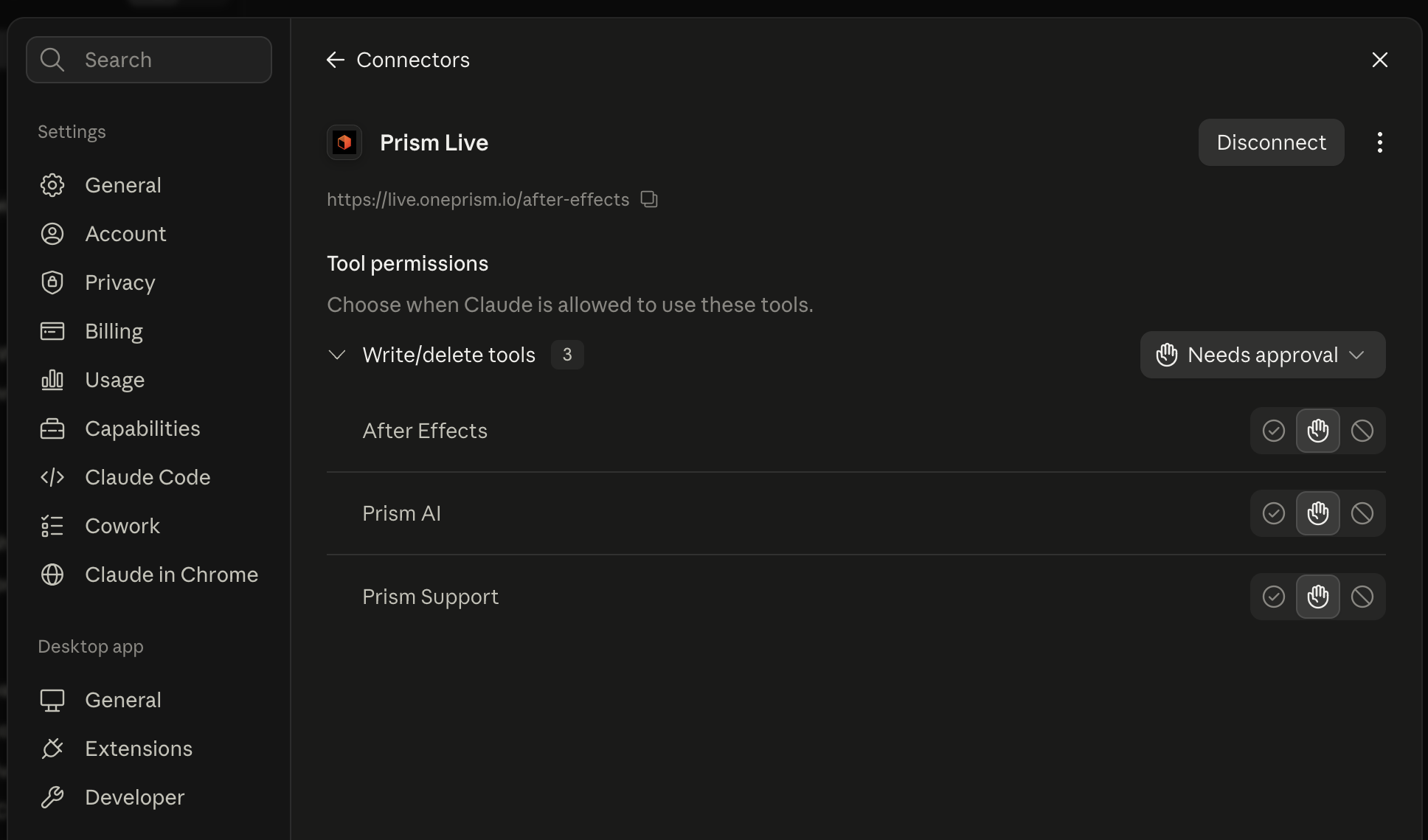
Guides for Claude Cowork and Claude Code, which also takes the address with one command.
What Claude does in your comp
| You type | What lands in your comp | Guide |
|---|---|---|
| "Lower third at 4 s: 'Maya Chen', 'Marine biologist' under it. A bar wipes in, the name rises behind a mask, the role fades in after." | Two text layers and a bar shape layer, a mask reveal, and position and opacity keyframes | Titles |
| "Stagger these twelve layers by two frames and ease them out." | Shifted in points and an ease on every layer | AI agent |
| "Wiggle the selected layer's position, with a slider on the layer for the amount." | A Slider Control on the layer and a wiggle expression on Position that reads it | Expressions |
| "Make this text layer count 0% to 87% and stop." | The layer's slider keyed 0 to 87, and an expression that adds the percent sign and holds on 87 | Number counter |
| "Show me the title card at two seconds." | Your layers and keyframes stay as they are: Claude renders that frame and gets the image back in its reply | Snapshot |
Claude builds what you describe. The brief, the art direction and the decision that a shot is right stay with you.
Other ways to connect an AI to After Effects
Prism is a hosted MCP server: you talk to Claude in the Claude app, Claude reaches Prism at one address, and the panel in After Effects does the work. There is no chat box inside After Effects.
| Route | How it works | What it needs |
|---|---|---|
| A local MCP server | Runs on your computer, added to Claude Desktop (config file or one-click extension) or Claude Code; claude.ai cannot reach it | Often Node.js and a terminal |
| A script panel with its own AI | A panel in After Effects sends your request to a model and runs the script it returns, without the Claude app | An API key, a local model or a CLI sign-in, depending on the panel; some panels are paid |
| Copy and paste | Claude writes an expression or a script in any chat; you paste it in, paste back any error, and Claude never sees the comp | Nothing to install |
| Computer use | Claude takes screenshots of your screen and clicks through After Effects | Claude Desktop on a Pro or Max plan, where it is in beta |
| Adobe's AI Assistant | Adobe's assistant, built into After Effects and separate from your Claude conversation; how it compares | The After Effects (Beta) app |
Named servers, hosted and local, side by side: After Effects MCP servers compared.
If it does not work
| What you see | What it usually means |
|---|---|
| The connector is added but nothing happens | The browser approval was never completed. Remove it, add it again, and finish the approval |
| Claude cannot reach Prism | The panel is closed. It has to be open in After Effects |
| It connects but sees no composition | No comp is active. Open one |
| The address is rejected | It was mistyped or pasted with extra characters. Paste https://live.oneprism.io/after-effects exactly |
| It asks you to sign in again | The session expired. Sign in with the same account |
| Claude says several copies of After Effects are signed in | Prism runs nothing rather than guess. Quit the copy you are not using, or tell Claude which one you mean |
The longer list is in troubleshooting.
If the client was already open, quit it and open it again
Most clients load their connections at launch. If Claude was open before you added Prism and does not show it, quit Claude and open it again.
Common questions
Yes, through an MCP server such as Prism. Once connected, Claude reads the comp you have open and builds in it: layers, keyframes, expressions and text, as native After Effects work you can change by hand or by asking again.
Install the Prism panel, add Prism's address in Claude with Add custom connector, approve the sign-in in your browser and open a composition. Then ask in plain words, for example "add a lower third with my name, easing in over half a second", and Claude builds it in the comp.
Yes. With Prism connected, Claude builds titles, lower thirds, charts and kinetic type in your open comp as layers and keyframes you can retime by hand. Prompts and steps are in motion graphics with Claude in After Effects.
Yes. It can render a frame of your comp, or several to review a move, and gets the image back in its reply, with no file or path for you to handle.
No, neither. You need After Effects 2024, 2025 or 2026 installed on macOS or Windows, not mastered: you describe the result, Claude builds the layers and keyframes, and you never see code unless you ask.
Yes, from third parties: panels in After Effects that run the scripts a model writes, Claude Code plugins, and MCP servers. Prism is an MCP server: one panel in After Effects, one address added with Add custom connector, and nothing installed in Claude itself.
Yes, from third parties: Claude Code skills that write After Effects scripts and run them on your computer, some limited to macOS. Prism is an MCP server, not a skill, so it also works on claude.ai and in Cowork.
No, not as of October 2026. Anthropic's directory has one Adobe connector, Adobe for Claude, made by Adobe, and it covers Acrobat, Photoshop, Lightroom, Illustrator, Firefly, Premiere, Adobe Express, InDesign and Stock. After Effects is not on that list, so it connects to Claude through a third-party MCP server such as Prism.
Yes. Prism is an MCP server for Adobe After Effects, published as io.oneprism/after-effects in the official MCP Registry. It reads the live composition and writes native layers and keyframes back, rather than generating a script for you to paste and run.
Any Claude plan, Free included. Anthropic's help lists custom connectors on Free, Pro, Max, Team and Enterprise. Claude Free allows one custom connector, so on that plan Prism has to be the one you add. On Team and Enterprise, an owner adds it under Organization settings ▸ Connectors, then each member presses Connect under Customize ▸ Connectors.
Both. Claude connects to Prism from Anthropic's cloud, not from your computer, so the connector you add once works on claude.ai, in the desktop app, in Cowork and in Claude Code signed in with the same account. After Effects and the Prism panel have to stay open on your machine.
No. There is no API key anywhere in Prism. You paste one public address and approve the connection in your browser using the account you already have.
Yes, and that is deliberate. You keep your own Claude plan, Free or paid, and Prism takes nothing for the model that drives it, which is why Prism Pro carries unlimited MCP actions. Prism Free gives you 100 MCP actions a month and needs no card; Prism Pro is $6 a month or $60 a year. With Claude Free and Prism Free the connection costs nothing; Adobe bills After Effects.
No. Your .aep files and footage are not uploaded. What makes a round trip is what Claude reads from the project (comp and layer names, sizes and timing, and any text or values it asks for), your instruction, any frame Claude looks at, and what you hand to Prism AI.
Yes. The same address works in every client, so you can add it to as many as you like and switch whenever you want.
Yes. Every action lands as one step in After Effects history, so a single undo reverts it. Before destructive work you can also ask for a checkpoint, which saves a timestamped copy of your project.
Related
Connect your AI
Get started
The panel
First prompts
Expressions
AI agent or Adobe's AI Assistant
Snapshot
Work
ChatGPT Work, the agent inside ChatGPT, uses the same connectors as ChatGPT. Add the Prism address once, authenticate, and it can carry out work in your open comp.
Claude Code
Connect Claude Code to After Effects with one command: add the Prism MCP address, sign in from the session or the shell, and drive your open comp from the terminal.