
Connect ChatGPT to After Effects
Yes. There is an MCP server for After Effects, and ChatGPT can drive it. What connects is the app, not the model: GPT has no way to reach anything on its own. The ChatGPT desktop app or Codex holds the connection and calls Prism's tools, and ChatGPT on the web can too where your plan and workspace allow it. About five minutes, once, with After Effects 2024, 2025 or 2026 on macOS or Windows.
Without a connection, ChatGPT writes code for you to paste into a comp it cannot see. Connected to Prism, it reads the composition you have open, builds layers, keyframes and expressions in it, reads back any error After Effects reports, and can render a frame to check its work. Adobe's own plugin for ChatGPT does not list After Effects, so ChatGPT reaches it through a third-party MCP server such as Prism.
| OpenAI surface | Connects | Where you add it |
|---|---|---|
| ChatGPT desktop | Yes | Settings ▸ MCP servers ▸ Add server |
| Codex | Yes | The desktop app's server list, or its config file |
| ChatGPT web | Partly | Plugins ▸ + ▸ Add custom MCP server, where your plan or workspace allows it |
| GPT via the API | No | You would be building your own client |
Paste or connect: two ways to use ChatGPT with After Effects
| Copy and paste | Connected through an MCP server | |
|---|---|---|
| Works in | Any ChatGPT plan, in the browser or the app | The surfaces in the table above |
| What ChatGPT knows about your comp | What you type into the chat | The comp you have open: its layers and their timing, and the real name and type of each property it works on |
| Who applies it | You: Alt-click the stopwatch (Option-click on macOS) and paste, or run the script from File ▸ Scripts | ChatGPT, on the property you selected or named |
| When After Effects rejects it | You copy the error back into the chat | ChatGPT reads the error and rewrites it |
| Checking the result | You scrub the timeline | ChatGPT can render a frame and look |
| Undo | Depends on what you pasted or ran | One undo step per request |
| What you pay | Your ChatGPT plan | Your ChatGPT plan, plus Prism Free or Pro |
Prism is one of several MCP servers for After Effects, each with its own setup and price: After Effects MCP servers compared.
Connect ChatGPT to After Effects
Choose Streamable HTTP, not STDIO
STDIO launches a server from your own disk. Prism is reached over the network, so STDIO has nothing to launch and the connection fails looking like Prism is down.
https://live.oneprism.io/after-effects: the same for everyone, and it holds no secret.In the desktop app, open Settings, then MCP servers, then Add server, as OpenAI's guide names them. If your Settings shows Plugins instead, open it and choose Add ▸ Add MCP server at the top right, as below.
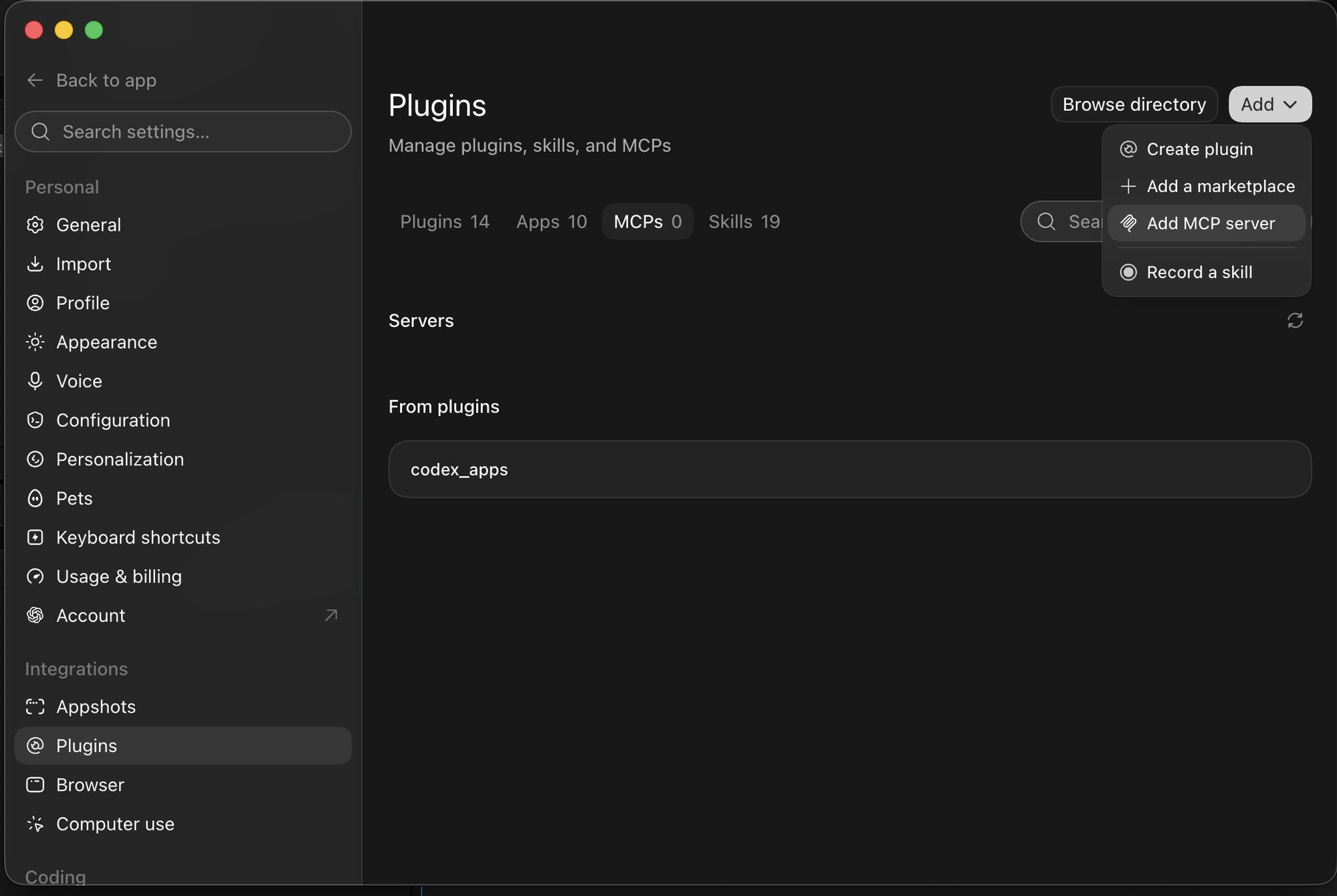
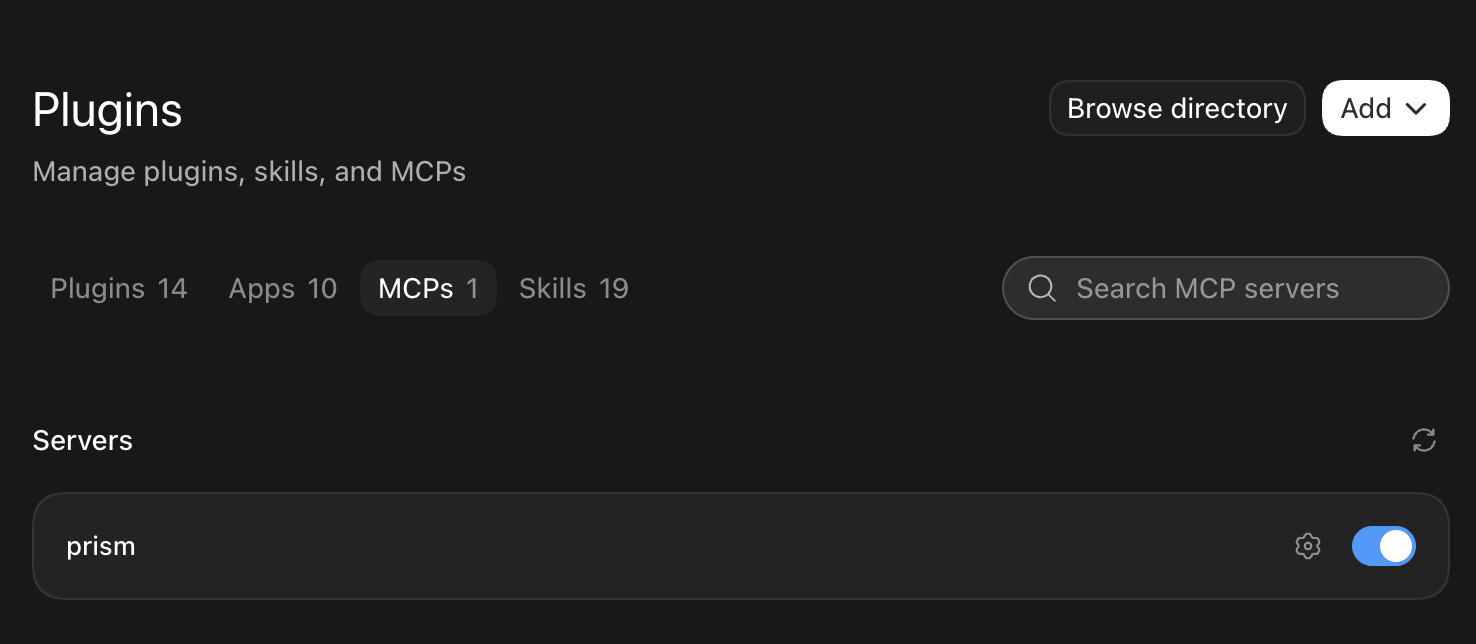
Prism is a server you reach at an address, not a program on your disk.
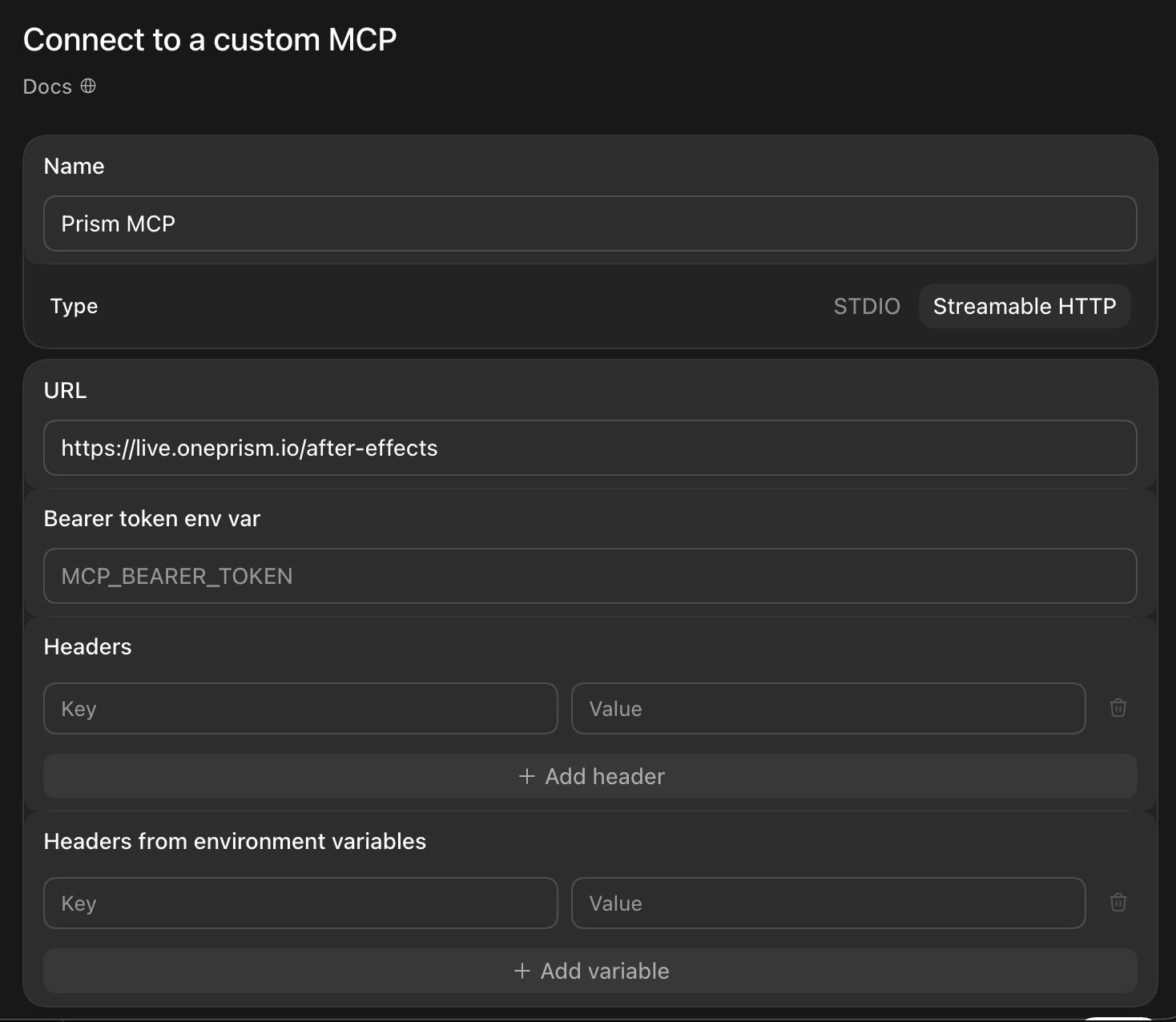
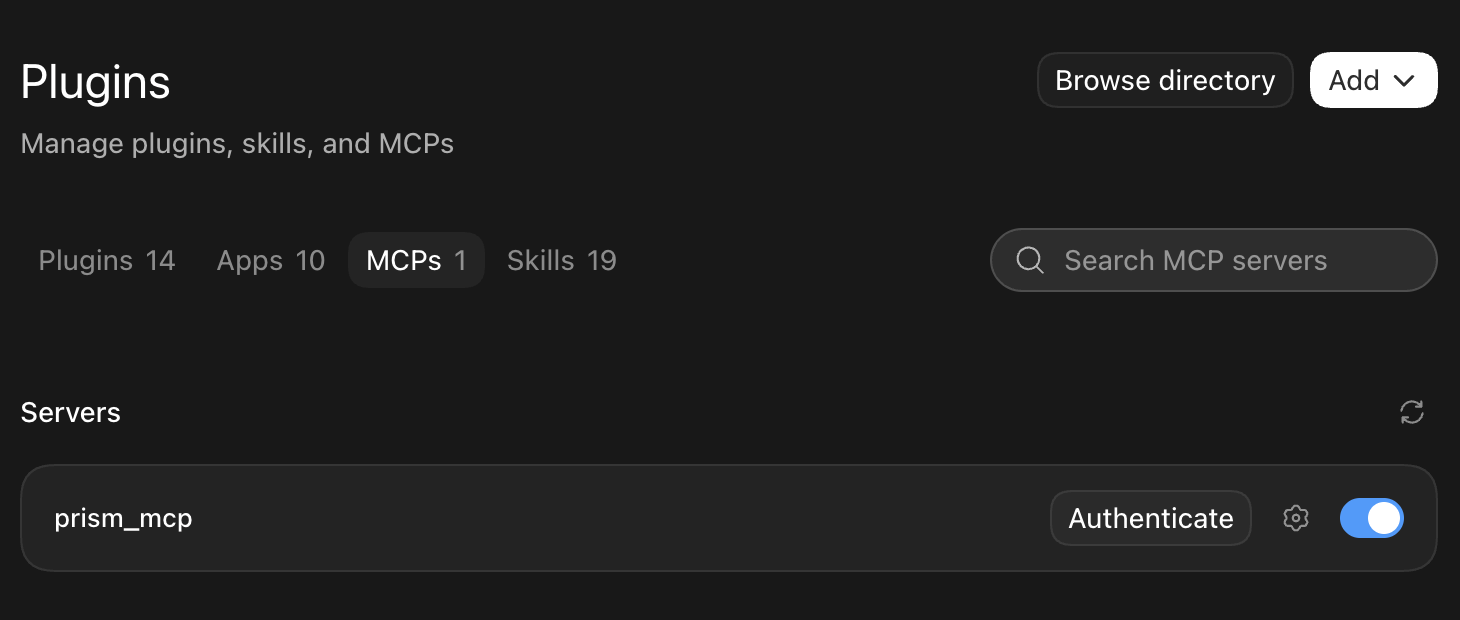
https://live.oneprism.io/after-effects into the URL field and give it any name you will recognise later. Nothing depends on the name. Leave the other fields empty: you sign in through your browser at the Authenticate step.Saving is not the last step. Authenticate is what links your AI client and the panel to the same account.
Prove it works
- "Tell me about my current composition." proves the read path
- "Stagger these layers by two frames and ease them out." proves the write path
- "Transcribe this audio layer into subtitles." proves Prism AI, on Prism Pro with a Prism AI balance
More in your first prompts. From the terminal, see Codex.
ChatGPT and After Effects expressions
Connected, ChatGPT writes each expression against the property's real name and type, applies it, and rewrites it when After Effects rejects it.
| You type | What lands in your comp |
|---|---|
| "Wiggle the selected layer's position, with a slider on the layer for the amount." | A Slider Control on the layer and a wiggle expression on Position that reads it |
| "Give this scale an inertial bounce when it lands on its last keyframe." | An overshoot expression on Scale, driven by the keyframe velocity, with no extra keyframes |
| "Count this text from 0 to 1,250 over three seconds, with a comma." | A slider keyed 0 to 1,250 and a Source Text expression that formats it |
Each one is an ordinary expression: open it, edit it or delete it. More prompts, and the fix loop step by step, in After Effects expressions with AI.
ChatGPT builds what you describe. The brief, the art direction and the decision that a shot is right stay with you.
If it does not work
| What you see | What it usually means |
|---|---|
| The server saves but never connects | STDIO was chosen instead of Streamable HTTP. Edit the server and change the type |
| Authenticate opens the browser and nothing happens | You are signed out there, or signed in to a different Prism account |
| ChatGPT cannot reach Prism | The panel is closed. It has to be open in After Effects |
| It connects but sees no composition | No comp is active. Open one |
| ChatGPT on the web offers no way to add a server | Look under Plugins ▸ + for Add custom MCP server. If it is not there, your plan or workspace does not allow it: on Business, ask an admin, or use the desktop app or Codex |
| ChatGPT says two copies of After Effects are signed in | Prism does not guess between them, so nothing ran. Quit the one you are not using, or name the one you mean |
| You cannot tell whether Prism is connected | In the desktop app, type /mcp in the message box: it lists the servers ChatGPT has connected |
More in troubleshooting.
If the client was already open, quit it and open it again
Save the address, then run the client's sign-in step. If your AI client was open before the address existed and does not show Prism, quit it and open it again: most clients load their connections at launch. Then open a composition and ask for it by name.
Common questions
Yes. Once connected, ChatGPT reads the comp you have open and builds in it: layers, keyframes, expressions and text, as native After Effects work you can change by hand or by asking again.
Connect once with the steps above, open a composition, then ask in plain words, for example "add a lower third with my name, easing in over half a second". ChatGPT makes it in the comp instead of handing you code to paste.
Yes, from third parties, in two forms: a plugin in ChatGPT's own plugin directory, or a panel inside After Effects that runs the script a GPT model writes, on your own API key or ChatGPT account. Prism is an MCP server instead: ChatGPT reaches it at one address while one panel stays open in After Effects.
No. Adobe for ChatGPT, the plugin Adobe launched on 6 August 2026, names Adobe Express, Photoshop, Firefly, Premiere, Acrobat, Lightroom, Illustrator, InDesign, Stock "and more", and neither its announcement nor its product page mentions After Effects. After Effects reaches ChatGPT through third-party MCP servers such as Prism, which neither OpenAI nor Adobe makes.
It can in any chat. Connected, it also applies them: the expression goes onto the right property of the right layer in your open comp, and you see the result in the viewer.
Usually because it cannot see your comp, so it guesses the property's name, whether its value is one number or an array, and what After Effects said when the expression failed. Connected, the loop runs without you pasting anything: ChatGPT applies the expression, reads the error After Effects reports, rewrites it and applies it again. Expressions with AI shows what you can ask for.
Yes. Prism is an MCP server for Adobe After Effects, published as io.oneprism/after-effects in the official MCP Registry. It reads the live composition and writes native layers and keyframes back, rather than generating a script for you to paste and run.
Plus, Pro, Business, Enterprise or Edu, in the desktop app or Codex: OpenAI's feature table lists MCP on each (checked 11 October 2026). It has no column for Free or Go, which get the desktop app subject to rollout, so OpenAI does not say: if your desktop app's Settings shows MCP servers, add Prism there. For the web, see the next answer.
Yes, where your plan and workspace allow custom MCP servers, and OpenAI's two pages differ on which do (checked 11 October 2026). Its developer guide names no plan: open Plugins, select +, then Add custom MCP server, paste the address, set authentication to OAuth, select Create as a plugin and install it. Its help article puts full MCP, including actions that change things, in a beta on Business, Enterprise and Edu, switched on by an admin, and limits ChatGPT Pro to read and fetch, which cannot build in a comp. Neither page mentions Plus, Go or Free. The web keeps its own server list, apart from the desktop app's.
Not for the connection, which belongs to the app: whichever model you pick in the desktop app or Codex, GPT-6 Astra included, reaches the same tools with the same allowance, and Prism cannot see which one you chose. A stronger model plans better, which shows up as fewer wasted requests.
Streamable HTTP. Prism is a remote server reached at an address, so there is nothing on your disk for STDIO to launch. Choose STDIO and the connection fails as if the server were unreachable.
Yes. On one computer, the ChatGPT desktop app, the Codex CLI and the IDE extension share one list of MCP servers, so Prism added in one appears in the others (OpenAI). The address and the account are the same everywhere.
Yes, and that is deliberate. You keep your own ChatGPT plan, and Prism takes nothing for the model that drives it. Prism Free gives you 100 MCP actions a month, and Prism Pro is $6 a month or $60 a year with unlimited MCP actions. After Effects stays billed by Adobe.
No. Your .aep files, footage and comps are not uploaded. What makes a round trip is what ChatGPT reads from your project (comp and layer names, sizes, timing and any value it asks for), your instruction, any frame ChatGPT looks at, and anything you hand to Prism AI.
Yes. Every action lands as one step in After Effects history, so a single undo reverts it. Before destructive work you can also ask for a checkpoint, which saves a timestamped copy of your project.
Related
Overview
One address connects any MCP client to your live After Effects project. Pick your client for exact steps, or ask the agent to configure itself.
Codex
Connect OpenAI Codex to After Effects: add the Prism MCP address to Codex's config file, run codex mcp login, and drive your open composition from the terminal.